
Why xosend uses true end-to-end encryption
Any time you send a file to another device, whether it's nearby or across continents, there are several well-known apps and sites to choose from. Many people will just opt for the easiest route, that's human nature after all.
But here's why it pays to be a little more careful.
You're probably used to handing your photos, passwords, and other sensitive data over to popular apps and cloud services, trusting that their encryption protocols will keep you safe and your data secure.
But the most popular platforms suffer from a fundamental design flaw—the same network channel used to transmit your data is also used to manage, distribute, and store the keys that unlock it.
The security implications are obvious: if a malicious actor or a compromised server sits in the middle of that channel, your security and privacy vanish.
What Is True End-to-end Encryption?
Unlike typical messaging apps, xosend uses Out-of-Band (OOB) encryption to provide the gold standard of digital security.
It's based on a simple principle: instead of passing the lock and key via the same digital route, xosend uses OOB encryption which splits them up and sends the keys via an entirely separate, secondary path. That security and privacy policy is fundamental to xosend.
By exploring how it operates and comparing it to everyday utilities like WhatsApp, AirDrop, and traditional email, we'll show you how handling your data and your keys separately strengthens your digital security and protects you from “man-in-the-middle” attacks.
How Most Apps Handle Encryption
Most platforms—including the most popular messaging apps—freely distribute your encryption keys on their servers using the exact same channel (also known as the band) your data is being sent though. They then rely on the connecting users to verify that the person on the other end is your intended recipient and not a “man-in-the-middle” attacker.
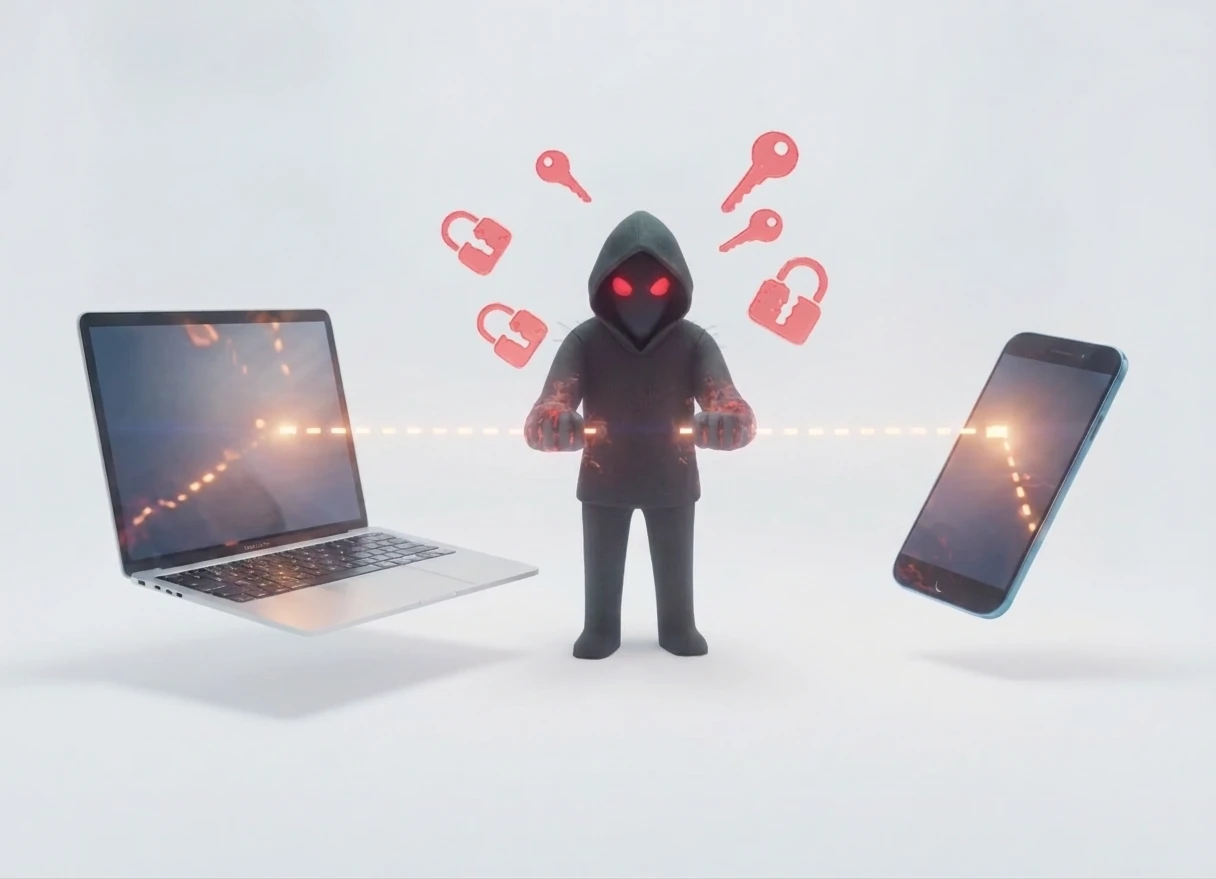
Here's where the risk emerges.
When you start a chat using other messaging apps, your device gets your contact's public encryption key from the app's central server. But the danger exists if an attacker compromises that server—either inside or outside the app provider's network—because it enables them to pass you their own key instead.
By doing that they trick you into unknowingly encrypting messages for the attacker, who can read them, re-encrypt them with the correct key, and then forward them to your intended contact. But to you and the person you're trying to message, the conversation appears perfectly secure.
To guard against these “man-in-the-middle” attacks, those apps provide a security code—often a long number or a scannable pattern—for you and your contact to compare through a separate, trusted channel, like in person or on a voice call. If the codes on both your phones match, you can be confident that no one is intercepting your messages.
The weakness is that this verification is rarely performed. The check is most critical when adding a new contact or if someone gets a new phone or reinstalls the app. But because this important security step is optional it's often skipped, leaving the door open for MITM attacks.
By using out-of-band encryption instead, xosend lets you avoid that risk entirely.
How Xosend Handles Encryption
When you want to share a file across the internet, your device needs to know how to locate the recipient's device. This is the job of the signaling server: acting as a digital matchmaker, it helps two devices exchange the credentials they'll be using throughout their session.
Crucially, Xosend's architecture uses a signaling server that never touches your unencrypted files. Unlike most messaging apps and cloud services, when you enable xosend's advanced encryption option it never sees the keys to decrypt them either.
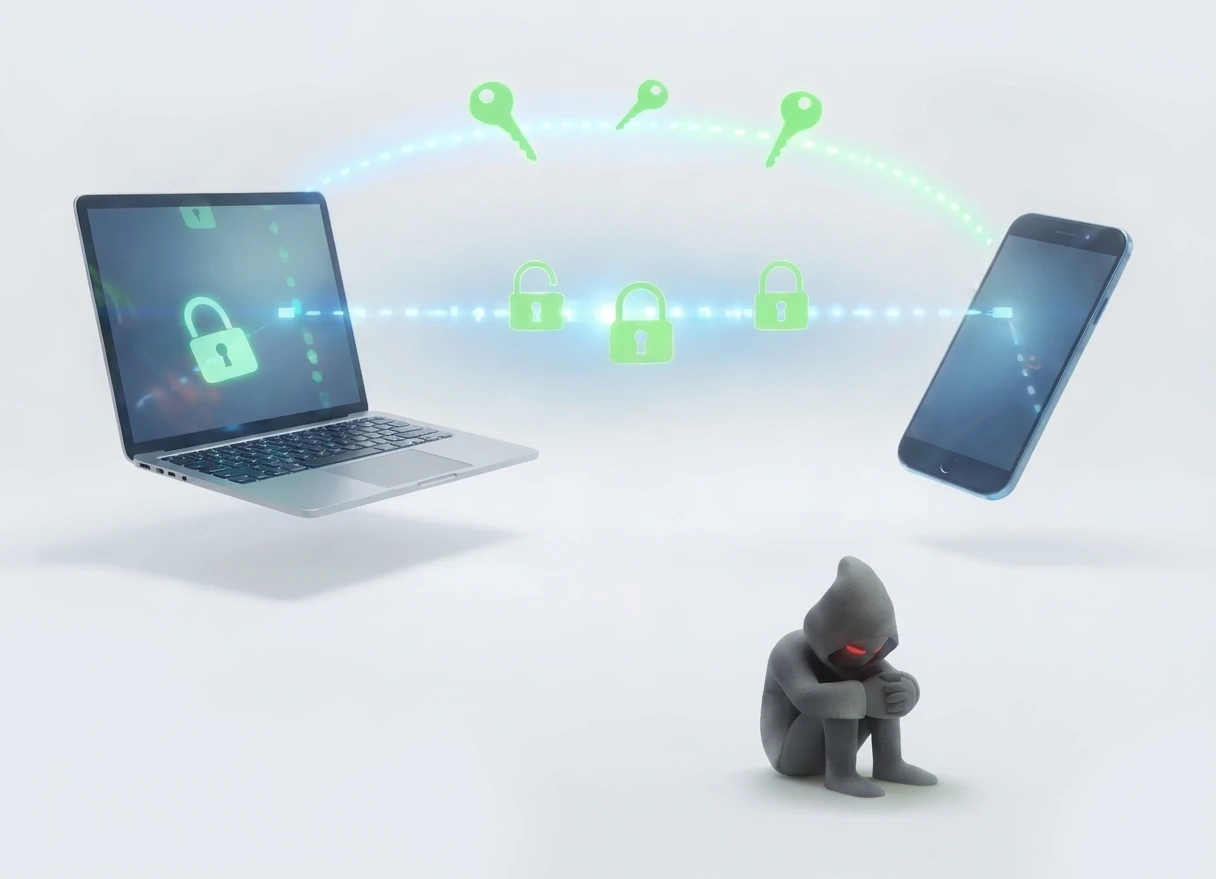
When you use xosend's out-of-band encryption, your browser generates a highly secure AES 256-bit cryptographic key before initiating the connection. It means you're protected by an added layer of security that most apps don't offer.
Because the key is generated entirely client-side and only shared with the person or device you're connecting to, it removes any opportunity for a “man-in-the-middle” to intercept your data.
By encrypting your connection credentials before they hit the network, the signaling server sees it as completely unreadable data. The allows the server to facilitate the connection without ever knowing who is talking, what you're saying, or what you're sending.
Out-of-Band Encryption is the Safer Choice
When we look closely at these competing architectures, the advantages of Out-of-Band encryption become undeniable. By separating the transmission of the data from the transmission of the key, you effectively break the single point of failure that compromises most digital systems.
With xosend's out-of-band encryption, if an attacker intercepts your data they gain nothing but an unreadable wall of ciphertext and scrambled metadata.
Without the AES-256 key—which you chose to share safely via a completely different medium, like an encrypted text, an in-person voice conversation, or a physical QR code scan—the data is completely useless. OOB encryption hands control back to the individual, ensuring true zero-knowledge privacy in an interconnected world.
Frequently Asked Questions
How does email handle encryption and keep my messages secure?
Standard email relies on Hop-by-Hop encryption using Transport Layer Security (TLS). When you attach a file to an email, the data is encrypted while traveling from your device to your email provider's server (like Google or Microsoft). But once it arrives at the server, it is decrypted and re-encrypted before being forwarded to the recipient's mail server.
Unless you are manually configuring complex, secondary layers like PGP (Pretty Good Privacy), email files sit completely unencrypted or protected by server-managed keys on remote infrastructure. If a mail server is breached, or if an administrator looks at the database, your attachments are fully exposed.
Email also retains messages indefinitely by default, whereas xosend uses temporary 20-minute sessions so that your files do not linger on the web. This significantly shrinks your digital footprint.
Is AES-256 encryption military grade?
Yes, AES-256 is the exact cryptographic standard currently approved by the U.S. government and military to secure Top Secret classified information. It is practically impossible to crack using current technology, which is why it earned that reputation.
That is why xosend lets you activate AES-256 encryption with a single click to robustly defend your data. Your browser generates the AES-256 key locally, and it never touches our servers. Because you share that key with your recipient out-of-band—like over the phone or in person—only you and your recipient ever hold the power to unlock the file.
Are my files private if I don't use true end-to-end encryption?
Yes... usually.
True end-to-end encryption is the gold standard. But for convenience and accessibility, most messaging apps use simplified versions of it, and for everyday use that's almost always good enough. That convenience comes with trade-offs: the service often handles the encryption keys for you, stores metadata, and can leave you exposed to man-in-the-middle attacks if you don't take the necessary precautions.
xosend takes it a step further and puts you firmly in control. By activating AES256 security, the encryption key is created on your own device. It's never stored, never synced, and never handed to the server. It's replaced every session, leaving no message history, no cloud storage, and nothing persistent that can be accessed later.
With xosend's enhanced encryption option, the server never sees the encryption key, and there is no long-term identity key to compromise.
Additional Resources
-
How to get a direct connection
See why a direct, peer-to-peer connection is better, and what you can do to get one.
-
Find out more about WebRTC
Take a look at this site explaining more about WebRTC, what it is and what it does.
-
How to transfer files between any devices
Learn how xosend can be used to transfer files to and from any device.